테마 전환
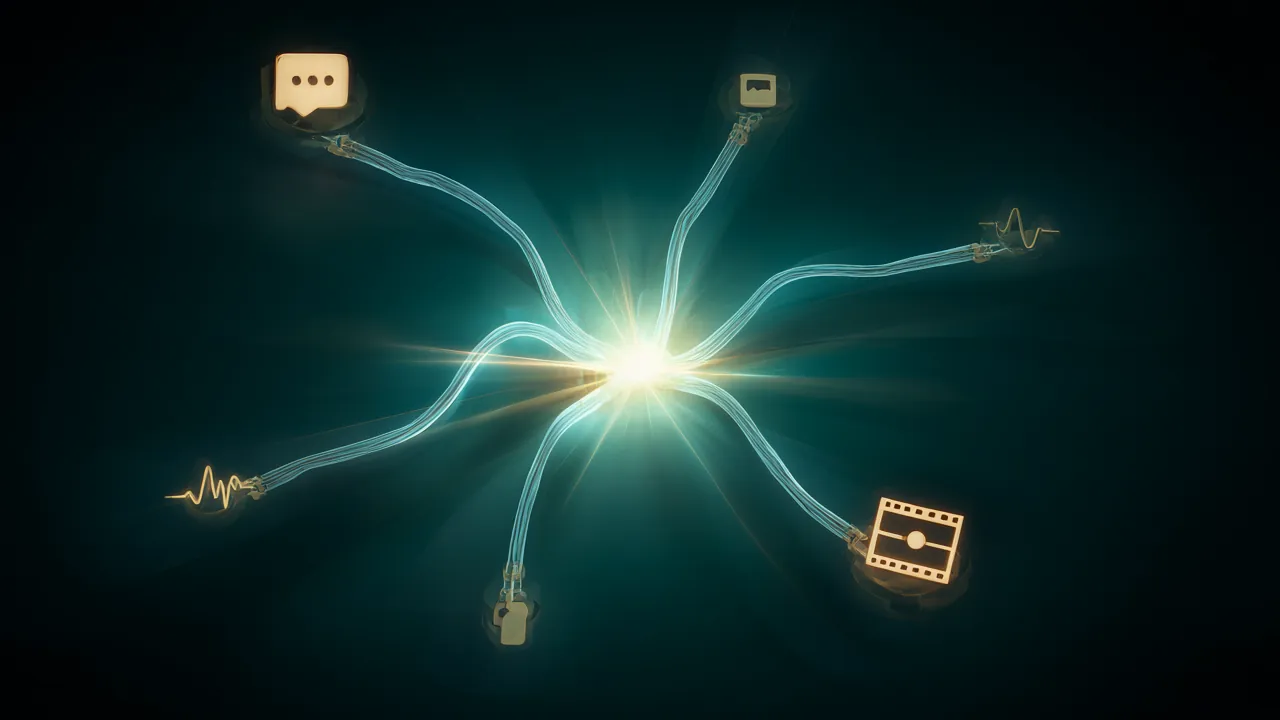
radiance 서버가 답하는 HTTP API는 매우 넓다 — 같은 서버가 채팅도, 이미지 편집도, 노래도, 3-D 메시지도 받는다. GUIDE §5를 축약해 지도로 만든다. 세부 인자 전량은 GUIDE와 docs/TOOLS.md가 맞고, 여기서는 "어떤 게 있고 어떻게 생겼는지"를 잡는다.
엔드포인트 지도
| 종류 | 엔드포인트 |
|---|---|
| 텍스트 | POST /v1/chat/completions, POST /v1/completions |
| 임베딩 | POST /v1/embeddings (임베딩 헤드 모델 전용, 아니면 501) |
| 이미지 | POST /v1/images/generations, POST /v1/images/edits |
| 음성 인식 | POST /v1/audio/transcriptions, WebSocket GET /v1/realtime |
| 음성·음악 생성 | POST /v1/audio/speech, WebSocket GET /v1/audio/speech/stream |
| 비디오 | POST /v1/videos, GET /v1/videos/{id}[/content], DELETE /v1/videos/{id} |
| 3-D | POST /generate, POST /send, GET /status/:uid (Hunyuan3D-2 API) |
| 호환 | POST /v1/messages(Anthropic), POST /v1/responses(OpenAI Responses), POST /completion·/infill(llama-server 네이티브), POST /v1/systemone(의사결정 모델) |
| 메타 | GET /v1/models, /health, /load, /version, /props, /server_info, /diagnostics, /metrics |
| 토큰 | POST /tokenize, POST /detokenize, POST /apply-template, GET /get_tokenizer_info |
| 캐시·세션 | POST /reset_prefix_cache, DELETE /sessions/<label> |
| 대시보드 | GET /, /dashboard와 그 JSON(GET /stats, /graph, /sessions) |
vLLM 관행을 따라 /tokenize는 POST이고, /chat/completions 등 일부는 /v1 없이도 답한다(bare host를 base URL로 쓰는 클라이언트용). 다만 /completions(v1 없음)은 llama-server의 네이티브 completion이다. 텍스트 프롬프트는 vLLM·llama.cpp처럼 제어 토큰을 토큰으로 읽는다 — 자체 템플릿을 렌더해 <|im_start|>...을 보내면 모델이 그 대로 본다.
채팅과 thinking 제어
기본은 OpenAI와 같다. 컨테이너에 채팅 템플릿이 없으면 이 엔드포인트는 501로 답하고 /v1/completions를 쓰면 된다.
생각(thinking) 모드 제어는 세 가지 표기가 다 통한다.
json
{"chat_template_kwargs": {"enable_thinking": false}}
{"enable_thinking": false}
{"reasoning_effort": "none"}- 추론 텍스트는
content와 분리된choices[].message.reasoning_content로 돌아온다. - 추론도
max_tokens를 소진한다(OpenAI·vLLM·llama.cpp와 같은 규칙). 추론이 길어져 한도에 닿으면content는 비고finish_reason은length다.usage.completion_tokens_details.reasoning_tokens로 구분한다. thinking_token_budget(vLLM 이름; Qwen의thinking_budget도 같은 필드로 읽음)으로 추론 토큰에 상한을 둘 수 있다. sampler가 강제 종료하므로 초안 복호화 중에도, 어떤 온도에서도 지켜진다.
스트리밍과 도구 호출
"stream": true는 OpenAI delta 포맷의 SSE이고 data: [DONE]로 끝난다. 프롬프트를 읽는 동안에는 아무것도 보내지 않고, 첫 토큰이 만들어질 때 role: assistant 청크가 나간다 — 첫 이벤트까지 재는 도구(llama-benchy의 ttfr)가 진짜 TTFT를 재게 된다. "stream_options": {"include_usage": true}로 마지막 usage를 받는다.
도구 호출은 OpenAI 규격 그대로다. tools 배열을 주면 호출은 message.tool_calls에 finish_reason: "tool_calls"로 돌아오고, <function> 같은 마크업이 content(스트리밍 조각 포함)로 새지 않는다. 도구 스키마는 실제 문법을 만든다 — parameters의 JSON 스키마가 호출에 적용되고, 값을 하나도 받을 수 없는 속성은 아예 쓰이지 않으며, 표현할 수 없는 not는 400으로 거부된다. maxLength 같은 제약도 20만 부근까지 정확히 강제된다.
제약 출력: JSON과 GBNF
json
{"response_format": {"type": "json_object"}}
{"response_format": {"type": "json_schema", "json_schema": {"schema": {...}}}}
{"grammar": "root ::= \"yes\" | \"no\""}
GBNF는 response_format과 동시에 쓸 수 없다. 중요한 규칙: 채팅에서 제약은 채팅 템플릿을 통과한다. 템플릿이 grammar를 지우거나 바꿀 수 있고(도구 호출 템플릿은 자기 문법을 만든다), 렌더 뒤에 요구한 제약이 없으면 요청은 거부된다("constraint could not be enforced"). 약속한 것을 조용히 버리지 않는 원칙이다. /v1/completions에는 템플릿이 없어서 제약이 곧장 적용된다.
completions, embeddings, 토크나이저
sh
curl -s localhost:8000/v1/completions -H 'Content-Type: application/json' \
  -d '{"model":"m","prompt":"def fib(n):","max_tokens":128,"temperature":0}'
curl -s localhost:8000/v1/embeddings -H 'Content-Type: application/json' -d '{"model":"m","input":"hello"}'
curl -s localhost:8000/tokenize -H 'Content-Type: application/json' -d '{"prompt":"hello world","return_token_strs":true}'
curl -s localhost:8000/tokenize -H 'Content-Type: application/json' \
  -d '{"messages":[{"role":"user","content":"hi"}]}'   # 채팅 템플릿 적용 결과
curl -s localhost:8000/detokenize -H 'Content-Type: application/json' -d '{"tokens":[15339,1917]}'/tokenize는 vLLM 형식(prompt/messages)과 llama-server 형식(content, with_pieces)을 다 받고, /detokenize는 결과를 prompt(vLLM)와 content(llama-server) 두 키로 돌려준다. 임베딩 모델(EmbeddingGemma 2, nomic-embed, Nemotron Embed)은 /v1/embeddings만 서빙하고 채팅은 501이다. 쿼리·문서 접두어는 서버가 붙이지 않는다 — 클라이언트가 보내거나 prompt_name으로 지정한다.
이미지·오디오·비디오 API
이미지 모델(Qwen-Image 2.1, FLUX.3 [klein], Krea 2, Anima, SDXL)은 OpenAI images API를 답한다. 기본 2048x2048, 생성과 최대 10장의 편집(마스크 선택), base64로 돌아오고 SSE로 진행률(partial_images)도 받는다.
sh
curl -s localhost:8000/v1/images/generations -H 'Content-Type: application/json' \
  -d '{"prompt":"a lighthouse on a cliff at sunset, oil painting","size":"1024x1024"}' \
  | python3 -c 'import sys,json,base64; open("out.png","wb").write(base64.b64decode(json.load(sys.stdin)["data"][0]["b64_json"]))'
오디오 생성 모델은 /v1/audio/speech를 쓴다. Breeze-TTS-2는 input의 텍스트를 instructions가 묘사하는 목소리로 읽고, drama-3는 화자 태그(<|speaker:0|>)와 지시([laughs])를 입력에 담고 references로 목소리를 복제한다. MiniMax-Music3는 input을 가사, instructions를 곡 설명으로 노래한다. 전부 통째로도, 스트리밍으로도(SSE 또는 stream_format: "audio", WebSocket 세션) 받을 수 있다. 음성 인식은 OpenAI 전사와 같이 /v1/audio/transcriptions이고 라이브는 /v1/realtime WebSocket이다.
비디오는 OpenAI의 백그라운드 작업 형식이다. POST /v1/videos가 즉시 작업 객체를 주고, GET /v1/videos/{id}로 상태와 진행률을 pollsing하며, 완료되면 GET /v1/videos/{id}/content에서 MP4(사운드트랙 포함)를 받는다. 첫 프레임 지정(i2v), 키프레임, 참조 이미지·영상도 받는다.
Anthropic, Responses, llama-server 호환
POST /v1/messages와 /v1/messages/count_tokens는 Anthropic Messages API 그 자체라 Claude Code와 Anthropic SDK가 그대로 붙는다. POST /v1/responses는 Codex와 OpenAI SDK의 responses 클라이언트용이다. /completion, /completions, /infill은 llama-server 네이티브 API로 llama.vim, llama.vscode 같은 도구가 그대로 붙는다. /props, /apply-template, /v1/models도 llama-server·vLLM이 보고하는 모양을 맞춘다.
운영에 쓰는 엔드포인트
GET /server_info— 모델, 카드, KV 캐시, 초안 깊이, 와이어, 기본 요청값까지 실행 중인 엔진의 전체 설정GET /diagnostics— 시작 리포트를 JSON으로(하드웨어는 지금 재측정). API 키 없이 같은 머신에서만 답한다GET /metrics— Prometheus.vllm:호환 계열과radiance:자체 계열 두 패밀리GET /stats,/graph,/sessions— 대시보드가 그리는 원본 JSONPOST /reset_prefix_cache,DELETE /sessions/<label>— 캐시와 저장된 대화 정리
실전 요청 예제 묶음은 이 주제의 마지막 실전 예제 글에 모았다.